Contact
Ellie Arroway
“I’ll tell you one thing about the universe, though. The universe is a pretty big place. It’s bigger than anything anyone has ever dreamed of before. So if it’s just us… seems like an awful waste of space. Right?”
![190178.1020.A[1] 190178.1020.A[1]](http://www.modelcar.hk/wp-content/uploads/2011/04/190178.1020.A1.jpg)
Ellie Arroway
“I’ll tell you one thing about the universe, though. The universe is a pretty big place. It’s bigger than anything anyone has ever dreamed of before. So if it’s just us… seems like an awful waste of space. Right?”
![190178.1020.A[1] 190178.1020.A[1]](http://www.modelcar.hk/wp-content/uploads/2011/04/190178.1020.A1.jpg)
Today, when I deploy a CentOS VM from Template, I’ve encountered an error:
Reconfigure virtual machine Status showing “The operation is not supported on the object”
Googled around and find nothing, then I realized it’s probably something to do with the hardware configuration. I checked the vmfs configuration file and found ddb.adapterType = “lsilogic”, after remove it, everything is back to normal, of course, I’ve updated my template as well. It’s due to the CentOS template VM Disk Controller has been changed and the old configuration was still kept somehow.
I also discover deploy a Linux VM somehow will add new a NIC, the solution is to remove the nic.bak, and reconfigure the IP on the new eth0.
Update Jun-21-2011
I’ve encountered the same problem today when deploy from a w2k8r2 template, the annoying alert simply won’t go away. Luckily, I’ve found out the solution by trial and error. Simply convert the Template to VM, then to Template solved the problem completely. I suspect this is a bug in ESX 4.1, the original template was Cloned from the running VM, may be that’s why!
This is probably one of the most exciting news from Microsoft for virtualization community in recent years! It’s a bad news for many others who offering the similar products for high cost like StarWind, SANMelody, etc. and it’s even a sad news for those who purchased W2K8R2 storage servers from OEMs like Dell, HP and IBM a year ago.
On Apr 8 Microsoft has made it’s iSCSI Target software (original it’s WinTarget) for FREE! So go grab it and use it in your VMware ESX.
Sure, it doen’t have many fancy features comparing to Equallogic, but it’s FREE and it supports ESX and Hyper-V as well as Xen and comes with schedule snapshots, so there is really nothing to complain.
Setup is very simple, just make sure you DE-SELECT the non-iSCSI NIC interfaces and leave only the iSCSI ones or you may risk to open your iSCSI SAN to the world and please double check the firewall setting disabled Public access, note after the default installation, somehow it enables Public access to iSCSI Target, huh? Ouch!
I got ESX 4.1 to connect to the MS iSCSI Target without any problem, and also went as far as changing the multipathing policy to EQL_PSP_EQL_ROUTED, haha…guess what, it did work apparently as all paths showing Active (I/O), but obviously it won’t work as later I found out there is no disk to mount under Storage, well it was expected. This leaves Round Robin (VMware) the best choice for MPIO setting and finally I loaded IOmeter, MPIO did shoot up to 60-80Mbps as I have two active links, not bad consider the underlying RAID-5 has only 4 disks on PERC H700 and the good news is the CPU loading of WinTarget.exe is very low, almost close to 0%.
FAQ
Q: The Microsoft iSCSI Software Target is now free. Is it supported in a production environment?
A: Yes. The Microsoft iSCSI Software Target is supported in a production environment. The Hyper-V team regularly tests with the MS iSCSI Software Target and it works great with Hyper-V.Q: On what operating systems is the Microsoft iSCSI Software Target supported?
A: The Microsoft iSCSI Software Target is supported for Windows Server 2008 R2 Standard, Enterprise and Datacenter Editions with or without SP1 (in fact, that’s what is recommended), and it can only be installed on Windows Server 2008 R2 Full install, but not Core Install.The Microsoft iSCSI Software Target 3.3, is provided in only in an x64 (64-bit) version.
Q: Can the free Microsoft Hyper-V Server 2008 R2 use the free Microsoft iSCSI Software Target?
A: Yes and No. Yes, Microsoft Hyper-V Server 2008 R2 can act as a client to access virtual machines via iSCSI. The way to do that is to type iscsicpl.exe at the command prompt to bring up the Microsoft iSCSI Initiator (client) and configure it to access an iSCSI Target (server). However, you can’t install the Microsoft iSCSI Software Target on a Microsoft Hyper-V Server. The Microsoft iSCSI Software Target requires Windows Server 2008 R2.Q: Can I use the Microsoft iSCSI Software Target 3.3 as shared storage for a Windows Server Failover Cluster?
A: Yes. That is one of its most common uses.
Download the Microsoft iSCSI Software Target 3.3 for Windows Server 2008 R2, go to http://www.microsoft.com/downloads/en/details.aspx?FamilyID=45105d7f-8c6c-4666-a305-c8189062a0d0 and download a single file called “iSCSITargetDLC.EXE”.
Finally, make sure you read and understand the Scalability Limits!
一直都很喜歡90年代的Corvette C5系列﹐甚至比C6還喜歡﹐當年開往美國大峽谷的高速公路上就見過它的真身和咆哮的引擎聲音。
喜歡的就是它那簡單而優美的身型﹐尤其是尾巴﹐其中最喜歡的就是C5的開篷版﹐多年的尋尋覓覓﹐只知道Autoart曾經出過Convertible版﹐但是那是C6的﹐所以今天一看見它﹐馬上當機立斷﹐不容有失﹐這下終于可以跟其它兩台紅黃版的硬頂C5配對了﹗
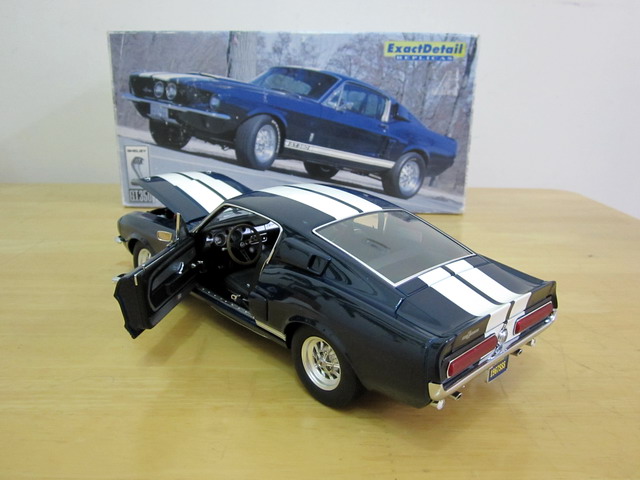
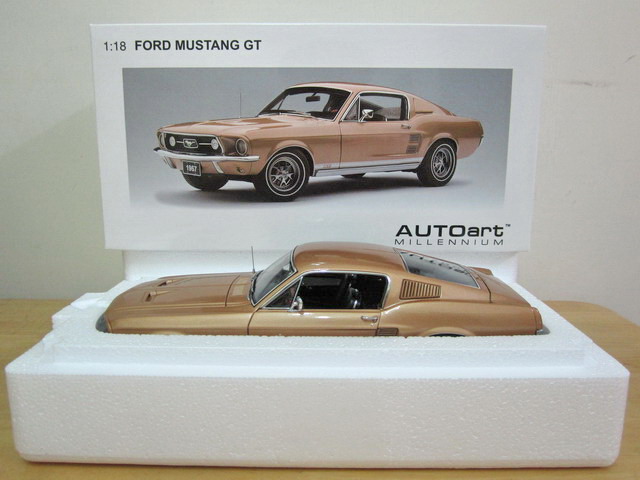
PS﹕最近越來越喜歡60年代Ford Mustang GT390和GT500了﹐看樣子其車模入庫是遲早的事﹐都是給樓下的那台的1比1的Ford Mustang GT500害的﹐哈哈﹗
1/18 Welly Chevrolet C5 Corvette Convertible 1999

1. After login, change to root:
su –
2. Install SNMP package using YUM:
yum install net-snmp
3. Configure SNMP parameter
echo rocommunity community_string mrtg.yourhost.com > /etc/snmp/snmpd.conf
4. Turn on the default SNMP service on system reboot
chkconfig snmpd on
5. Start SNMP service
service snmpd start
Finally, of course, you will need to open UDP Port 161 on the firewall in order to get SNMP working.
I finally figured out why the previous Luxilon TIMO 18 (Main) + M2 17 (Cross) on my POG didn’t last long for 2 ½ months, it’s because TIMO is 18 guage which tends to break easily. So I went to the pro shop and the owner if they have TIMO 17, unfortunately only 18 are my only choice left, so instead of going the old routine, I’ve asked him to recommend something similar again, and this time he picked hard Luxilon Adrenaline 17 for Main to combine with the soft part M2 for Cross and tension keeps the same as 57lbs, hopefully this new combination shall last for at least 3 months, will report back later.
![Luxilon-Adrenaline-17[1] Luxilon-Adrenaline-17[1]](http://www.modelcar.hk/wp-content/uploads/2011/04/Luxilon-Adrenaline-171.jpg)
Luxilon Adrenaline 17
PS. Yesterday, I’ve also tried Head’s Extreme Pro (Mid-Plus), it feels just so good, I felt almost all of the high end mid-plus racket from leading brands are equally good, particularly in control and spin, I must admit technology did evolve over the past 30 years, may be it’s time to finally switch?
Update Apr 15
Seemed you really get what you paid for, after playing for 2 hours, I would say the previous TIMO 18 (Main) worths more buying, although Adrenaline is HKD20 cheaper, but TIMO 18 is thinner and have better feel and control than Adrenaline 17, may be it just takes time to adjust, let’s see how long it will last this time.
Update Sep 24
As expected, the new combination lasted for about 4 months. I am going to return to the old combination: TIMO 18 + M2 16 and lower the tension to 55 lbs this time.
I got the Barracuda Spam & Virus Firewall Vx virtual appliance working in less than 30 minutes, it’s really easy to setup and use, there is almost no learning curve if your job involving managing email server daily.
In fact, I almost got a Barracuda 300 back in 2008, but the performance back then wasn’t good, now with the VM version, it’s lightening fast, thanks to latest CPU and Equallogic SAN, so I may eventually purchase one of these nice stuff for my clients this month.
One major drawback is the lack of comprehensive reporting capability even after almost 10 years of it’s product life. It can’t even provide simple things like list the top 100 domain name with most email usage and size for a specific day or time, list the top user who used the most email bandwidth, etc. Without this kind of reporting capability, I would say Barracuda can never make to the real ISP enterprise market, it’s good for SMB though.

PS. I just found out Barracuda Networks introduced the Barracuda Reputation Block List (b.barracudacentral.org) for free! Of course, you need to register your DNS server first in order to use it.
Then I found this thread on VMTN which explained everything.
This is not a BUG. However, is the way we understand the HA Settings and Functionality. When in “HA Settings” you specify the “Failover Capacity” as “1″ and you have a 2 NODE Cluster, you are simply telling the HA that in any given instance it will have “At least 1″ spare HOST. Now, when you Manually or Using Update Manager try to put a HOST in Maintenance Mode, HA Failover Capacity is “Violated” because while the HOST is in Maintenance Mode, there is “NO Spare HOST” for HA. Meaning in an event the Second Node goes down, everything goes down and HA will never work. This a Straight Violation to the “Failover Capacity” that you have specified.
Hence, by all means in a 2 NODE Cluster you have to “Allow VMs to Power On even if they violate the availability constrains” if you want them to be Automatically Migrated when you put HOST on Maintenance Mode or use Update Manager. If you don’t want to change this setting and still use this feature you need to add another HOST to the Cluster while keeping the Failover Capacity at 1.
可能是香港最好吃的豬扒飯。

鮮茄牛肉飯 咖哩豬扒飯

Part of the above were quoted from Eric Siebert’s newly revised Installing VMware vShield Zones for a virtual firewall and don’t forget to review his article on “Top 10 VMware security tips for vShield users”
Update: Oct 30, 2011
I found the solution to my last question in how to avoid vShield Zone VM to be moved away during Maintenance Mode by DRS, the answer is at the end of the Install vShield Zone PDF (Page 13, can’t believe I missed this extremely important piece of information). Basically, you need to set vShield Zone VM Restart Priority to Disable under HA and Automation Level to Disabled under DRS.
To prove it’s working I did a test, I put the host in to Maintenance Mode, DRS was able to vmotion away everything to other available nodes except the vShield Zone VM, then it shuts it down nicely, everything is done automatically.
Bravo!