哥哥﹐你還好嗎﹖
 Comments (0)
 “阿飛正傳”仍然是自己最喜歡的一套戲﹐不論是情節﹑畫面﹑音樂等﹐都覺得配合得天衣無縫。是的﹐八年過去了﹐原來是真的﹐要記得的﹐永遠都會記得﹗

Comments (0) “阿飛正傳”仍然是自己最喜歡的一套戲﹐不論是情節﹑畫面﹑音樂等﹐都覺得配合得天衣無縫。是的﹐八年過去了﹐原來是真的﹐要記得的﹐永遠都會記得﹗
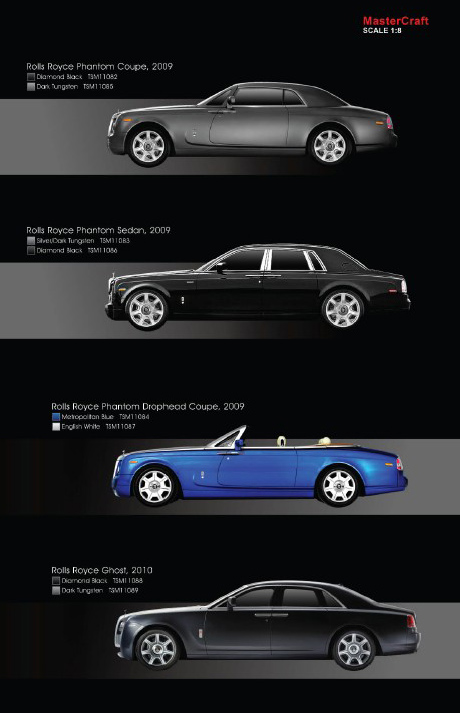
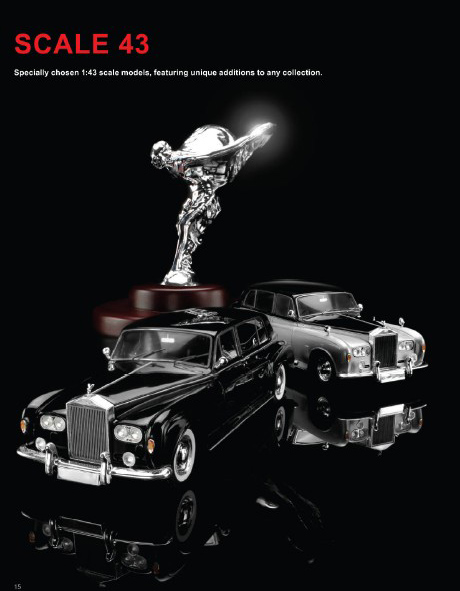
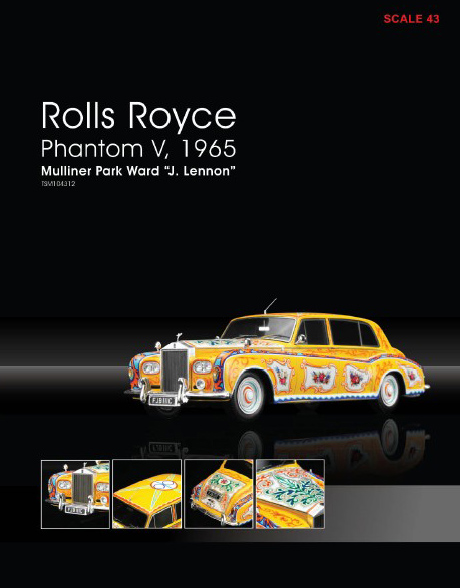
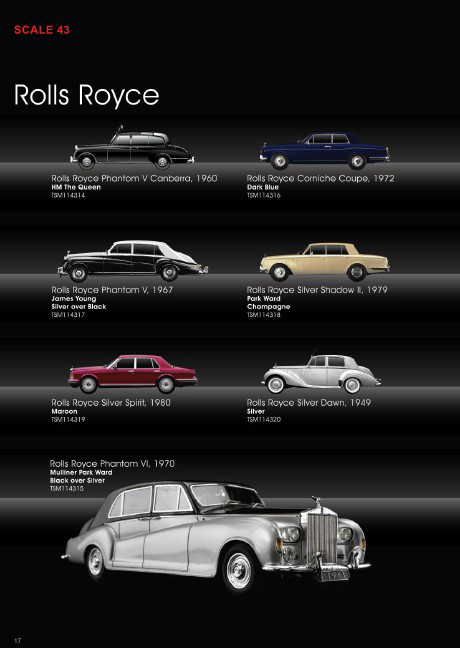
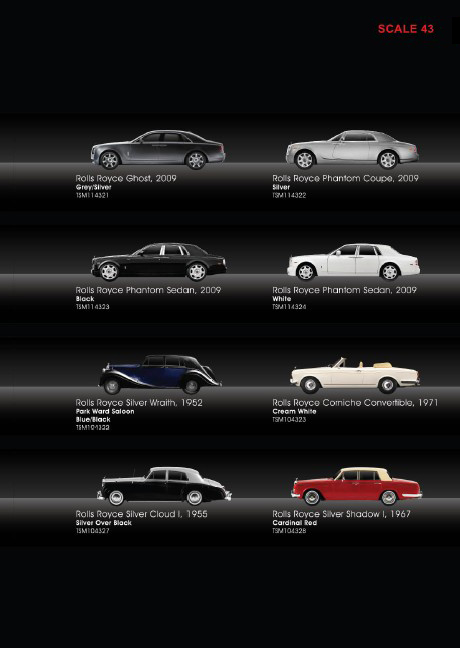
When I first came to know this news and I said to myself “OMG”! It even includes several 1:8 scale as well, I can’t imagine the price for those huge ones!
今天的球聚遇見了一位很特別的80後年輕人J。
首先他的先天機能(體格)比一般人強壯的多﹐全身上下散發著運動員的氣息。
傾談中得知原來一直有打籃球習慣的他因為屢次受傷﹐而且做過手術﹐所以最近選擇了網球這項比較安全的運動。在他老闆親自指導下(真羨慕現在還有這樣的好BOSS)打了近五個月的網球﹐平時幾乎每天有空就會在樓下的球場對著空場(不是練習牆)練習正反手抽擊和開球﹐回家有空就看YOUTBUE FYB和模仿學習其它PRO的打法和姿勢。
打了4局後﹐完全感受到了什麼是天生的運動細胞﹐人家五個月已經等于我五年的功力(當然不排除我網球先天資質方面比較遲鈍的可能性)。
謙虛的他令我很樂意地跟他分享我的經驗﹐尤其指出他的單反用了很多手腕力去打﹐這樣會很容易受傷﹐還有就是LATE HIT遲拉拍的問題。
自問不夠資格指導別人﹐但SHARING真的可以令人很快樂的﹐尤其看見聰明的他很快就能掌握我所提出的建議﹐目睹他的進步飛快更使我想在以後的球聚提供多些建議給他﹐令他可以儘快打得更好些﹐當然除了我﹐還希望各路好手有機會多多指導這位謙虛有潛能的年輕人。
相信在他不斷的努力和毅力下﹐日後肯定會是一個出類拔萃的網球好手﹐J加油啊﹗
今天又見好文﹐wubo寫的幾篇CMC文章都很到點﹗
浅谈CMC出品方向与思路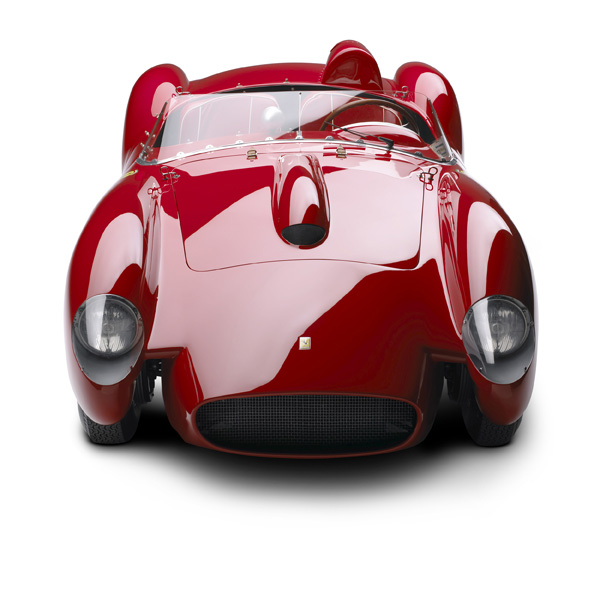
Ralph Lauren汽车系列首次在欧洲亮相,为隆重其事,特别邀请Jean-Michel Wilmotte负责陈列设计。他为观众带来近距离的视觉交流体验,突显每辆汽车的整体设计美感。同时展示它们的精巧细节、完美的车身造工、车架和引擎。现场将播放多套影片和录像短片,以营造汽车的动力和声效,展览期间并会举行汽车设计研讨会。
全球众多珍藏汽车中,其中一系列私人珍藏的名车脱颖而出,更堪称卓越的代名词:殿堂级美国时装设计师Ralph Lauren的珍藏跑车。17辆来自Ralph Lauren收藏系列的尊贵跑车将于2011年4月28日至8月28日首次在欧洲巴黎装饰艺术博物馆(Musée des Arts Décoratifs)展出,这些名车均由策展人Rodolphe Rapetti精挑细选,年份由1930年代至今,并由Jean-Michel Wilmotte设计陈列,讲述欧洲汽车历史的重要里程。
Ralph Lauren通过这次展览向汽车业的巨子们致敬,颂扬他们一手创造的艺术品:布加迪(Bugatti)、阿尔法罗密欧(Alfa Romeo)、宾利(Bentley)、奔驰(Mercedes-Benz)、捷豹(Jaguar)和保时捷(Porsche),当然还少不了系列中的重头戏法拉利(Ferrari)。
1970年巴黎装饰艺术博物馆曾举办BolidesDesign展览,展出多款赛车,策展人极有来头,包括设计师Joe Colombo、Roger Tallon和Pio Manzu,及艺术家Jean-Paul Riopelle、Jean Tinguely和Victor Vasarely,以及Robert Delpire和François Mathey。展览旨在展示汽车是一件设计品,也是艺术品,带出「艺术与技术如何在各自的领域演绎人的创意及人与设计的关系。」
同样,观众也可从这个角度欣赏「汽车艺术——Ralph Lauren珍藏名车展览」。这次展览展出的珍藏汽车系列是Ralph Lauren花了数十载搜罗所得,当中包括欧洲汽车历史上的闪烁瑰宝,每一辆也是美丽的化身,凭着对速度和性能的追求,绽发慑人魅力。
系列囊括了汽车历史中最优雅独特及别具创意心思的型号,如1929年奔驰Blower和1962年法拉利250 GTO,声名显赫的1955年奔驰300SL及令人一见难忘的捷豹D系,其鲨鱼鳍定风翼于1955、1956和1957年在法国勒芒(Le Mans)勇夺三连霸。除了赛车,系列也有经典的豪华旅行车1938年布加迪Atlantic,这款车只曾生产四辆,将赛车的卓越性能融入日常生活中,再注入奢华设备,带来惬意的驾驶体验。每辆名车均独特不凡,是实至名归的艺术杰作,荟萃突破技术与大胆的设计新意。
读完此篇新闻我的第一个感觉就是:这是一次有钱也不一定买到的顶级名车的聚会。正如上文中所描述的那样“当中包括欧洲汽车历史上的闪烁瑰宝,每一辆也是美丽的化身,凭着对速度和性能的追求,绽发慑人魅力。”
基于以上的感觉,转而想到近三年来德国CMC精品模型公司的出品方向与思路,在我个人来看,假设仅以此次展览作为一次参考或者说作为一个标的,那把CMC近期的产品放在整个汽车模型领域范畴来讲无疑是十分成功和出色的。
浅谈如下4点观后感,与大家作交流:
1、CMC近年紧紧围绕着如下的主题来开发和制作自己的产品:以精细的制作工艺、出色的细节表现以及优秀的选材用料,通过自己开发的合金模型认真还原和纪录世界极名车、欧洲著名赛车历史的重要节点,注重揭示那些精典赛车的辉煌身世,使用惟妙惟肖的手段刻画人类曾经对于速度不断追求的过程。【具体内容请参考本人以前的文章《对于CMC合金车模产品变迁发展的个人见解》】本次展览共展出17部名车,就此篇新闻报道中所提供的并不全面的7部名车的图片中我们可以看到CMC已经出版了4部,占了大多数。剩下的375、Bentley、JaguarXKD 也已经由BBR、AA、MC出版了同型或近型模型。而从模型爱好者们的专业角度来衡量做工、用料、仿真度、售价等专业指标,CMC无疑是现今18比例合金模型领域的佼佼者,其性价比就目前看还是很高的。
2、近来,一直有模友在论坛中拿实车或历史照片质疑CMC出品同款车的仿真度问题,在我个人看来这种存在细节差异也是正常的,因为即使把历史进行还原,可能也会因为出厂配置(车身局部颜色、零件、高低款型的差异)或者车主的个人喜好及使用时间等诸多原因造成有很多的细节差异。如果CMC一直秉承着由名车原厂所提供的第一手全套历史数据及资料来制作模型产品理念的话,我们作为爱好者和收藏者不应该只死盯某一张历史照片或者实车来进行考证,应该找到更广泛的、更具有绝对代表性的车型证据(足以盖棺定论的原型量产或者唯一编号及身份的赛车)与CMC或者经过我们的CMC论坛进行有效的、以理服人的沟通而受到CMC的尊重及认可。我本人其实很期待这个这种时刻出现在论坛,因为这完全表现了我们中国CMC模友们的专业素质及水平。
3、关于CMC一车多色、不限量与限量、赛车加号与素版多款同出的市场行为,我个人认为无非是一种正常的商业行为,作为一家靠产品进行盈利的公司,和世界上所有的公司并没有任何的不同,这种商业策划、考量和行为的本身确实无可厚非。作为CMC产品的收藏爱好者,我们只需擦亮双眼,只选择自己喜欢的款型是最明智、最正确的举动。
4、目前CMC的模型产品在世界、在中国受到了很多爱好者的垂青,CMC获得了前所未有的成功。CMC产品做得好,但其在宣扬自己的产品理念以及结合企业自身的汽车文化的推广方面至少在国内做的差强人意(在国际上也没有多大动静),与CMC自身品牌价值差距较为遥远。相比于国外中国的爱好者们似乎得到的服务也远不如国外的规范。也许这一切真的都需要时间来认知和完善吧。真心希望CMC大陆模友们早一天得到规范的、带着专业会员色彩的CMC银色温情服务!在我的脑海中,这些服务包括诸如:等级会员体制与对应价格、多层次的售后支持、免费宣传品册页的发放以及CMC展览推广会的参与机会。【相关观点请参考本人以前的文章《致小源先生及CMC Classic Model Car (HK) Ltd.的公开信 》】
对于CMC合金车模产品变迁发展的个人见解 (2008.06.30)
CMC精品汽车模型公司自1995年成立至今的13年间共出版了(包含即将出版),以18和24比例为主的74个产品编号、大概94款车型的合金汽车模型。本人通过近几年对CMC车模的持续关注以及了解,感受到CMC一直是紧紧围绕着如下的主题来开发和制作自己的产品:以精细的制作工艺、出色的细节表现以及优秀的选材用料,通过自己开发的合金模型认真还原和纪录欧洲赛车历史的重要节点,注重揭示那些精典赛车的辉煌身世,使用惟妙惟肖的手段刻画人类曾经对于速度不断追求的过程。
经过了13年的不断追求与发展,今天的CMC在众多的汽车模型生产商中如果谈不上凤毛麟角,也应该算是独树一帜了。我本人根据这13年中CMC产品开发的走向,以及自己所掌握的一些浅显资讯,草率和笼统的归纳出了CMC产品开发的几个重要的时期,下面一一列举出来,仅供CMC板块的模友们参考和相互交流探讨之用。
一、创业初期的24比例合金
由于上世纪九十年代末期的技术条件的限制,以及针对当时高端产品的流行趋势,CMC义无反顾地选择了24比例的合金汽车模型为表现方式,以欧洲上世纪初叶为主、中叶为辅的一些量产高端轿车为出版主题的一些经典车型作为他们打入高端汽车模型品牌的突破口。在1996年——1999年间,CMC主要出版了Mercedes-Benz SSK、Mercedes-Benz 540K系列、Mercedes-Benz 500K系列、Porsche 550 Spyder系列、Mercedes-Benz 450SL系列、Benz Patent engine car, 1886(1:10比例的奔驰一号)等款型为主的高端轿车的合金模型。其做工和选料用今天眼光来看却是属于乏善可陈,但如果把自己的眼光置身于当时的环境中,您肯定觉得当时的CMC已经构成对于固有的高端车模品牌阵营的强烈冲击。1998年CMC在中国南部沿海地区建立了工厂,利用德国的工艺技术和中国廉价而精细的人工,把CMC优势最大化。
二、24比例的辉煌以及18比例的试水、转型过渡期
1998年——2002年间,CMC已经通过新产品的持续开发而站稳了24比例合金模型的脚跟,并通过自身的渊源优势,与拥有德国最辉煌汽车历史文化的奔驰和奥迪公司建立了非常稳固的合作关系。CMC以更加细致的做工和更加严格的工艺标准推出了更加出色的24比例系列的合金模型精品,以及多款汽车厂商、汽车博物馆的应邀制作的精品限量版。它们应该是:著名的Horch 853系列、Audi 920系列、Wanderer W25K系列、Mercedes-Benz 300d系列、Mercedes-Benz 300 SL系列、Mercedes-Benz 300 SLS系列等著名的24比例的精品系列。在这期间,值得我们注意的变化有两点:第1点,CMC24比例车型出品方向的选择已经由古典高端轿车慢慢转向到经典的赛车类模型。第2点,CMC基于对市场的观察以及通过Mercedes-Benz, W196银箭的18比例先锋系列以及Mercedes-Benz 450 SL系列和Mercedes-Benz 300 SL等18比例合金系列的不断试水和方向性选择的转型徘徊之后,毅然决然地投入到光辉的银箭18比例合金古典赛车当中去,一举确立了CMC今后以高端18比例合金模型为主流的发展方向及模式。
三、以银箭系列作为18比例合金模型的真正开始和24比例的英雄迟暮
除了早期18比例的Mercedes-Benz, W196银箭系列对市场的试水之外,整个银箭系列之前的18比例的CMC模型,应该是处在转型期的正在寻找方向的CMC的过渡作品,做工和选料CMC都处在不断的摸索之中,所以这段时间的18比例产品确实不能称之为出色的CMC的产品。W196以后的银箭才真正走上了CMC18比例合金系列的康庄大道。2001年——2005年,CMC银箭全系列的出版,把CMC的发展推入了一个更高的高度。在这段时期,CMC以精致的做工和出色的选材、以严格还原历史为依托出版了炙手可热的18比例合金Mercedes-Benz W字头的古典银箭以及Auto-Union的古典银箭赛车多达十几款,其中有不少致使全球CMC模友趋之若鹜并已一车难求的绝版限量银箭车型。在这期间,CMC还出版了广受模友好评的Mercedes-Benz Racing Car Transporter拖车系列(18和24比例两款)。与此同时,CMC并未放弃24比例经典车款的生产,继续加大生产能力,全力生产著名的Horch 853系列等24比例车型,这些属于精品的24比例车款直到2007年年底才在全球车模市场上逐渐淡出,它们什么时候能以新的工艺,改头换面重出江湖,目前还是一个谜。
四、银箭系列的沉寂恰恰是为了造就CMC合金18比例当前的辉煌
经过了多年的开发之后,从目前看CMC银箭系列的出版已经从大的层面转向了某一点位的进深发展。时间进入2005年,CMC悄悄推出的六色Mercedes-Benz SLR McLaren系列就宛如一声惊雷,震动了整个业界,在以后三年间CMC进而掀起了精品18比例合金的出品狂潮。Mercedes-Benz W196R系列、Ferrari 250GT SWB系列、Maserati Birdcage系列、Maserati 250F Fangio系列、Porsche 901系列以及Mercedes-Benz SSKL、Bugatti T35, 1924等18比例合金模型,随便哪款都能称之为当前业内18比例合金模型的极品。
CMC18比例合金精品模型的传奇还在不断的演绎发展中,作为CMC广大拥趸中的一份子,我衷心祝愿CMC及时且源源不断地为大家奉上更完美的作品!
在本文的最后,我再啰嗦一段题外话:也许多年之后,我们可能会面对着收藏了一大柜子的CMC模型突然感到些许茫然,但这些精品模型背后所负载的、更为重要的是对应这些模型历史及相关的汽车文化将伴随我们一生,会毕生收藏在每位CMC爱好者的记忆里;相比于物质的CMC精品模型,这些来自于精神层面的精彩记忆不占用丝毫空间不发生任何费用,它只专属于我们自己;而这些CMC精品模型,仅仅是搅动我们对于赛车历史的沉思以及回首往昔收藏岁月的助燃剂和催化剂而已。
致小源先生及CMC Classic Model Car (HK) Ltd.的公开信 (2010.12.02)
今天我又一次在这里看到了来自“CMC官方”的讯息。好吧,那我就凑个热闹。
在我个人看来,小源先生除了没有先前那位“车模博士”的ID(网名)那般张扬,在其他方面似乎并没有给这里的人与新意。做为这个论坛的版主我应该可以代表这里的CMC模友提出如下的问题与建议,请您方便的时候予以关注或以回答。谢谢!
1、既然小源先生以官方身份出现,做为版主我希望CMC公司能够正面与MC论坛相关的管理人员进行必要的接触,双方最好能建立起正式的、宽泛的合作渠道,这样对双方应该都是负责任的表现,且有利而无害。你们公司每次找个人随便的在这里注册一个ID,打着官方的旗号和服务的幌子,利用别人搭建起来的现成的论坛资源免费为CMC进行宣传,难免有失世界著名模型公司的身份,这样的行为在我本人看来似乎有些小家子气及不甚正规。
2、CMC的产品定位确实是出色且独树一帜的,时至今日市场的反映说明了一切,但CMC品牌价值和影响力及CMC所推崇的汽车文化的推广不能仅靠模型本身,我个人希望CMC能为每一位购买模型的中国大陆模友提供必要的每一款模型背后的历史知识以及光辉节点,做到以模型相辅相成,使用一些带有附加值的可选择的配套服务来满足不同档次客户的需求。至于表现形式可以是传统出版物、电子出版物,或者是中文网站。亦可以是周边纪念品等等。试问CMC对于中国大陆的CMC购买者们做了什么?哪怕只是很少的一点点!
3、产品的售后服务是任何一家带有商业性质的企业所必需的。CMC在中国大陆到底是通过什么途径来进行销售?如果不能提供有效的统一的服务,那么市面上我们所能买到的CMC模型是哪里来的?不能只是两句:“請向你的經銷商查詢”.或是“零配件是沒有獨立出售的, 如果真的有損壞, 可向你的經銷商訂購, 但同時需要出示發票副本,原包裝及白咭方能處理.”就把广大客户打发了,假设你是他们之中的一员,如上的回答,你自己会满意吗?
4、这个论坛里所有的CMC模友以及我本人都对CMC的模型充满了感情,因为它的精致、因为它的内涵、因为CMC公司背后的中国血缘以及与中国千丝万缕的联系。希望CMC将来加强对中国大陆区域的重视、服务、宣传程度,真正的通过实际行动与具体步骤解决喜爱CMC产品的每一位人士的后顾之忧。
5、建议CMC亚洲区通过以品牌专卖旗舰店的形式或者以欧洲汽车历史文化图片展与名车+CMC绝版模型共同展示的多种形式,来深入中国的一线大城市(北京、天津、上海、广州)进行多快好省的宣传,逐步加大投入,尽快建立起基于CMC自己独特的与CMC的模型产品相得益彰的CMC汽车文化品牌形象,在中国大陆的汽车模型圈子里建立起绝对霸主的地位,使CMC模型与公司形象从内而外达到最大的和谐与统一。
最后,谨祝CMC好运的同时,顺祝我们广大的CMC大陆模友们早一天得到规范的、带着专业会员色彩的CMC银色温情服务!(在我的脑海中,这些服务包括诸如:等级会员体制与对应价格、多层次的售后支持、免费宣传品册页的发放以及CMC展览推广会的参与机会。。。。。