Category: Others (其它)
Interesting Post: Why Equallogic Doesn’t Support Active-Active Controllers
Saw this interesting post today, almost dated a year ago.
Q: Why does EqualLogic not support having active/active controllers?A: This is a very good question. EqualLogic runs the active and passive controllers connected by a thick I/O pipe that effectively maintains the passive controller as a mirror of the active controller, this allows for near instantaneous failover in the event of a RAID controller failure – there is no need for the controller having to seize ownership of the failed controllers disks. This is supported by write cache mirroring and the write cache is cached to flash memory.
Note: The process of controller failover uses MAC spoofing and needs portfast and rapid spanning tree enabled on switches.
Q: Does EqualLogic support a Thin Provisioned LUN Space Reclaimer?A: Not yet, this is in the pipeline.
Also came across this reply in Dell’s Forum.
Some terminology might be helpful here. Equallogic embeds their controller/filer/and disk shelves into one unit. The controllers are active/passive meaning only one controller is ever usable. The filer itself is tied directly to the disks. Other vendors handle this in different ways. Dell has chosen with the Equallogic system to do this.
Some vendors implement “raid” across the filers themselves (HP LeftHand’s network raid). Other vendors offer active/active controllers, or NetApp metrocluster functionality. Dell Equallogic does not.
We operate three Equallogic arrays in production use, and have never suffered a controller failure. When we preform firmware updates the unit reboots twice, taking it offline for 15 seconds. We do this during ‘quiet’ activity hours on our VMware, SQL Server, and Exchange clusters. They seem to handle the 15 second downtime without issue.
We have not seen the Active/Passive controller layout of the Dell Equallogic as a negative. The failure of an entire Equallogic filer (both controllers and both power supplies) is extremely extremely rare. There are no shared components between the controllers, they are functionally separate filers. The unit is right-sized for our organization and provides enterprise functionality at a fraction of the cost of a similar product that wold allow Active/Active enterprise level controllers, or Metrocluster functionality.
In summary:
> Dell Equallogic does not allow Active/Active Controllers, or full ‘raid’ between discrete units.
> Dell does not offer ‘Metrocluster’ or ‘Network Raid’ functionality like DRDB.
> Reboots of the entire SAN take 15 seconds (yes, really, as a customer, not Dell marketing) and do not cause any issue for us.
Protect Your WordPress with Limit Login Attemps Plugin
With the increasing popularity of my blog, I found more and more brutal force attack on WP admin login page. Today, I discovered a niche tool that actually does a bit of protection from this kind of automatic bot attack, of course, it won’t stop an experience hacker from trying.
IP Tried to log in as
78.154.105.23 admin (4 lockouts)
190.239.130.92 administrator (1 lockout)
180.190.221.208 admin (1 lockout)
194.27.149.159 administrator (1 lockout)
49.144.211.220 administrator (2 lockouts)
187.162.153.237 admin (1 lockout), administrator (2 lockouts), support (1 lockout)
1.171.228.91 admin (1 lockout), administrator (1 lockout), support (1 lockout)
186.101.201.68 admin (1 lockout)
126.68.40.134 admin (1 lockout)
189.224.56.236 administrator (1 lockout)
190.56.253.177 admin (1 lockout)
202.65.140.153 admin (1 lockout)
181.112.134.55 administrator (1 lockout)
79.101.247.52 administrator (1 lockout)
182.234.71.109 admin (1 lockout), administrator (1 lockout)
Enjoy Everyday and Live Our Life!
Just received a message from my mum, one of my uncles passed away at age 78, I guess it’s becoming a norm for our age group to face this more and more.
So enjoy everyday and live our life!
Don’t Sweat the Small Stuff….and it’s actually all small stuff!
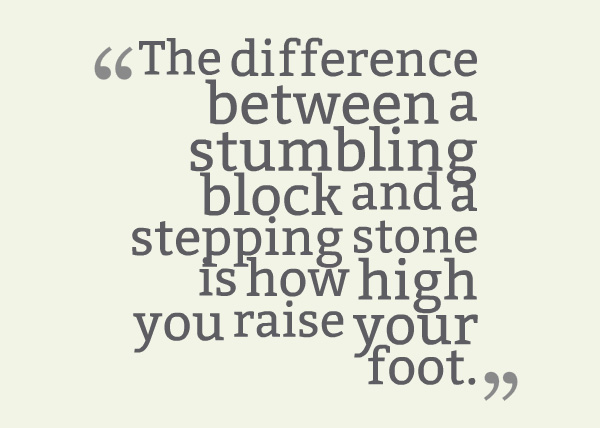
and last week I saw this on street, it did strike me again.
Matthew 6:34 – Bible
Therefore do not worry about tomorrow, for tomorrow will worry about itself. Each day has enough trouble of its own.

費天王後繼有人了 (轉文)
馬德里網球大師賽第二輪,世界一哥祖高域(Djokovic)碰到保加利亞小將迪米特羅夫(Dimitrov),二比三敗陣出局。
半夜在電視裏看直播,本來以為很快打完,結果一打三個多小時,打到香港天亮方休。比賽後段,全場為迪米特羅夫打氣,這個二十一歲的小將打到最後一分的時候,用手指在胸前劃了個十字,結果拿下了祖高域。
迪 米特羅夫冒起得很快,現在世界排名二十三,相信很快就可以躋身前十名。看他打球最有趣的地方,是他的動作活脫脫就是一個費達拿。無論正手反手,還是發球削 球,如果離遠了看,就是費天王現身,連發球前拍球起板的動作都一模一樣。除了步法還欠些火候,其他技術已非常成熟,所以看他打球,就像看見八、九年前的費 達拿。
很少有運動員打球姿勢和動作如此相似的,可見費達拿一定是迪米特羅夫的偶像,但模仿得這麼相似而有實效,猶如費達拿上身,真是世所罕見。費達拿是網球界不世之才,如今看來有接班人了,真令人高興。
希望這次他可以在馬德里的紅土場上跟費達拿相遇,然後看兩個出手一模一樣的人比賽,那就簡直是《西遊記》裏「真假猴王」的意境,一定刺激,一定好看。
李純恩
OpenStack, An Alternative to VMware and Hyper-V?
In July 2010, Rackspace Hosting and NASA jointly launched a new open source cloud initiative known as OpenStack. The mission of the OpenStack project was to enable any organization to create and offer cloud computing services running on standard hardware. The community’s first official release, code-named Austin, was made available just four months later with plans to release regular updates of the software every few months. The early code comes from NASA’s Nebula platform as well as Rackspace’s Cloud Files platform. Early on in the history of the project, Ubuntu [9] Linux distribution decided to adopt OpenStack.
Just read about this new jargon, very interesting indeed as OpenStack was initiated by a leading web hosting company in US and there is an extremely self-conceited man in China who said that he will replace VMware with OpenStack within a year…Gosh!
2005年到現在…
我的第一台手機,今天終於完成了它的使命。
Beyond Five Nines 99.999% Availability with Dell Compellent
Five nines or 99.999% availability standard (5.26 mins downtime per year) has its origins in the telecom industry. It characterizes the technical capabilities of an individual system. It does not characterize the capability of an organization to use the technology to meet its goals. To measure the impact of technology on an organization requires consideration of the entire IT environment and its effectiveness as a whole in providing access to data.

Dell Compellent: Going beyond five nines
By virtualizing physical resources, Dell Compellent Storage Center achieves a higher level of abstraction that overcomes the limitations of traditional storage, allowing you to perform routine management and maintenance without taking down the applications users rely on to keep business moving.
At Dell, we’re addressing data accessibility issues with a 24×7x365 mentality. The Dell Compellent family offers 99.999% availability1 by the standard measure, but we go beyond the concept of five nines. We take planned data downtime into consideration in our approach to building our hardware, the technologies behind our software and in our unique, award-winning support.
Building high availability into hardware
The foundation of continuous data availability is based on a hardware environment in which users can access the data during activities that traditionally require downtime, both unplanned and planned.
Dell removes the potential for a single point of failure from the whole environment rather than merely moving that single point of failure around within the environment. Our approach is to provide a hardware environment in which accessing data uses no shared components.
Clustering dual storage controllers with no shared backplanes or midplanes, and then connecting that fully redundant cluster to storage devices in a multi-loop or multi-chain configuration, provides redundancy at all points and allows for a hardware environment that is highly available. Providing reliability and redundancy in components most likely to fail—power supplies, fans, spinning disk drives—contributes to this infrastructure of availability. Wherever possible, components are designed to be hot swappable, eliminating downtime for maintenance and repair.
Data management traditionally requires planned downtime. Virtualization can help change that. Dell Compellent virtualizes storage at the drive level, enabling you to create high performance, highly efficient virtual volumes in seconds, without allocating drives to specific servers and without complicated capacity planning and performance tuning. Read/write operations are spread across all drives in your virtualized pool of storage, so multiple requests are processed in parallel, accelerating data access.
In addition, you can change and scale your virtualized storage dynamically without disruption or downtime. Start with a single controller, add a second controller, join the two into a cluster, all while allowing access to the data. Add drives and drive enclosures, replace fans and power supplies—even go inside a controller and replace interface cards to upgrade or fix hardware issues, with your data accessible to users all the while.
A hardware environment built on this blueprint can keep data accessible during activities that traditionally had a negative impact on business, and keep the organization moving forward.
Building high availability into software Software
that contributes to data availability includes automated data placement, virtualization, and data protection solutions. Again, the Dell Compellent approach is holistic, and focused on keeping data optimally accessible for users—in any circumstance, and at every stage in its lifecycle.
Dell Compellent storage software features built-in automation that optimizes the provisioning, placement and protection of data throughout its lifecycle. For example, storage tiering enables an organization to keep data available cost effectively. Data Progression, Dell Compellent’s patented tiering technology, automatically classifies and migrates data to the optimum storage tier and RAID level based on actual usage. As shown below, all new data is written to Tier 1, RAID 10 and snapshots cascade to the lowest available tier within 24 hours. Then, the most active blocks of data remain on high-performance drives, while less active blocks automatically move to lower-cost, high-capacity drives. Under this approach, your storage is optimally utilized, data is easily recoverable and users and applications have fast access to the data they need.

Dell Compellent automated tiered storage dynamically classifies and migrates data to the optimum tier based on frequency of access.
Another way Dell Compellent builds high availability into storage software is Dell Compellent Data Instant Replay, sometimes referred to in the industry as “snapshot technology” or “continuous data protection.” A Replay is similar to a snapshot in that it captures a point-in-time copy of data; however, it has intelligence that lets you access read-only data without having to make a copy of that data. You can take continuous, space-efficient snapshots to speed local recovery of lost or deleted files. Once an initial snapshot of a volume is taken, only incremental changes in the data need to be captured. Every Replay is a readable and writable volume that is automatically stored on lower-cost drives, and can be used to recover any size volume to any server in less than 10 seconds.
Remote Instant Replay leverages Replays between local and remote sites for cost-effective disaster recovery and business continuity solutions. After initial site synchronization, only incremental changes in data are replicated on an ongoing basis, cutting hardware, bandwidth and administration costs. You can replicate over Fibre Channel or native IP as your business requires.
Dell Compellent Live Volume, enables dynamic business continuity by letting you move storage volumes between Dell Compellent arrays on demand. All migration occurs transparently while applications remain online. Live Volume functionality is fully integrated in the Dell Compellent platform and requires no additional hardware, server agents or costly appliances. It supports any virtualized server environment and complements leading virtual machine movement engines.