The following is from Delltechcenter’s forum, posted by Joe from Dell EQL regarding the confusions about Equallogic’s load balancing between pools with multiple array members.
The following best practices should be considered for storage pools:
1. Do not mix arrays with different drive speeds RPM within a single pool unless they are running a unique RAID policy
2. Do not mix arrays with different drive technologies (SATA, SAS, SSD) within a single pool unless they are running a unique RAID policy.
3. Do not mix arrays with different controller speeds (1GbE, 10GbE) within a single pool unless they are each running unique RAID policies.
4. To override the automated performance decisions for a specific volume, indicate a ―preferred RAID type for that volume. If that RAID type exists within the pool, the volume will reside on those arrays that match the preferred RAID policy for the volume.
For example: if you have two members with different drive technologies (Item #2), so you can create each member with a different RAID preference (as you indicated Array1 w/Raid50, Array2 w/RAID5), and then specify the preferred RAID policy for the volume(s), without any issues.
With volume RAID preferences set to Auto, the volume will span both members in the pool. If using the RAID preference, it isn’t a guarantee that it will adhere to the request and only place the volume on a given member; for instance if the volume is too large to fit on the member with the desired RAID level (you might end up with an 80/20 balance).
Note that when mixing SAS/SATA in the same pool the performance load balancer doesn’t take drive RPM into account in its calculations. A common issue is that if you combine fast SAS with slower SATA (often worst with the SATA setup as RAID 5) the SAS array won’t provide its potential performance, and the load balance may place more data on the larger SATA member (typically SATA Arrays have more space).
In other words, old RAID theory still applies here: DO NOT MIX different RPM disks in a raid group.
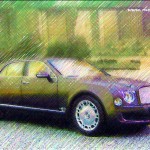
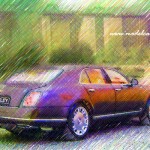
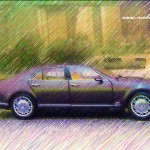
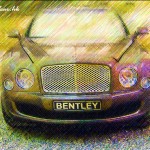
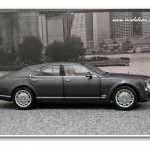
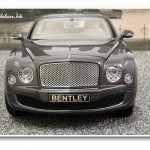
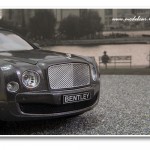
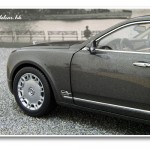
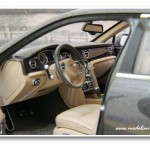
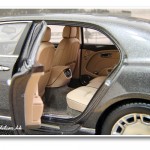
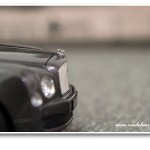
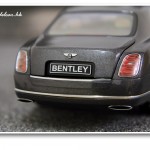
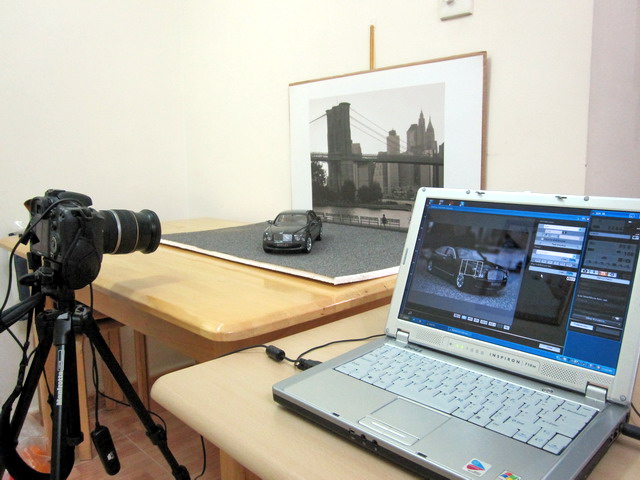
搞了一個晚上,終于學會了如何使用Canon 7D + 電腦。
Canon EOS Ultility的Remote Shooting實在太好用了,攝影功力馬上得到了几何級的爆升,感覺還真Pro!
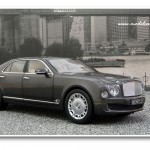
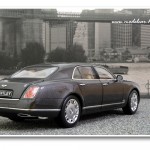
拍攝環境還是那麼簡簡單單﹐什麼燈都沒有打﹐就靠幾盞室內的白光燈。
這次能照出比較銳利的照片﹐覺得主要還是因為機器配套強勁彌補了環境的不足。之前還誤以為一定要Micro L鏡頭才能拍得出好車模﹐看來我這顆EF-S 17-55mm已經足夠﹐它還真萬能﹐什麼都行﹐無論從廣角風景到微距﹐真值得投資。
Canon 7D+EF-S 17-55mm f/2.8 IS USM﹐光圈收小到F22﹐ISO100﹐EV -1左右。
當然這次有用PS來加強肌肉效果!
I went to the pro-shop today and found out Luxilon no longer produces Big Banger ACE TOUCH hybrid, so I asked the owner to recommend something similar in terms of feel and composition, and he suggested Luxilon TIMO 18 (Main) + M2 17 (Cross) for my POG, which TIMO 18 replaced Ace 18 and M2 17 replaced Supersense 16L.
This time I asked the pro-stop to string it to 57lbs as the previous 60lbs was a bit too hard at the beginning and I felt more comfortable and much better control when string bed started to lose its tension, it felt incredibility good 1 month before it breaks, so I conclude somewhere around 55-57lbs should do the magic.
Anyway, let me try it on Monday and report back again.
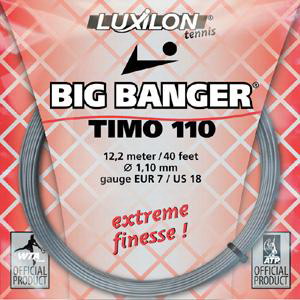
Luxilon Big Banger TIMO 110 18 (Main)
![61qEN-2uzQL._SL500_AA300_[1]](http://www.modelcar.hk/wp-content/uploads/2011/01/61qEN-2uzQL._SL500_AA300_1.jpg "61qEN-2uzQL._SL500_AA300_[1]")
Luxilon M2 17 (Cross)
Update Jan-31
After hitting for 2 hours, I found indeed the new combination is very close to the previous discontinued Big Banger ACE TOUCH hybrid, I like it very much!
Update Apr-13
To my surprise, it only last for 2 1/2 months, DAMN! I am not sure if it’s the lower tension (57lb vs 60lb) I asked for this time or Big Banger ACE TOUCH hybrid is a lot more durable. Of course, there is the 3rd possbility that I’ve added more spin into my ground stroke and serve. 
The following list is the ones that’s most interested to me.
137620 ASTON MARTIN DBS · 2006 · GREY METALLIC
139980 BENTLEY CONTINENTAL GT · 2011 · BLACK
139920 BENTLEY CONTINENTAL GT · 2011 · GREY METALLIC
139940 BENTLEY CONTINENTAL T · 1996 · DARK GREEN
139420 BENTLEY R TYPE CONTINENTAL · 1954 BLACK METALLIC
101202 MASERATI GRANTURISMO MC GT4 2010 · BLACK
101201 MASERATI GRANTURISMO MC GT4 TEST CAR TROFEO GRANTURISMO MC · 2010
133020 McLAREN MP4-12C · 2011 · ORANGE
In thoday’s game, I was able to get more spin and raise the safety margin on my serve now after changing to back-hand grip, of course, I am still working on the stability, and I am pretty sure I will manage it shortly
Actually there is another tips on serving which was advised by my CHing, you got to completely relax your body before the serving motion, as it will create more energy and make your serve more efficient, and this also applies to 詠春 equally which I just learn recently.
So I tried the back-hand grip serving technic and force myself to completely relax my body, that indeed produced some very nice serves today. The most fun part is first time in history I can actually feel my body is driving the ball upward and toward the service line (become one: body+ball), this is really fun, I definitely need to practice more on this stuff.
看來我之前的確沒仔細看清楚﹐另外量產版本也是用綠色廠盒來包裝的。
I just came across this PDF today and found it’s pretty much everything about the latest features of EQL SAN like VAAI, MPIO, Thin-Clone, etc. I’ve already implemented most of them in our production enviornment and seeing performance gained by multiple times especially during SVmotion and depoly a new VM from template, of course the reduction in snapshot time really helped Veeam to run at it’s peak performance during backup window.
Hope everyone will finds this PDF useful!
The following list is the ones that’s most interested to me.
70206 ASTON MARTIN V12 VANTAGE 2010 (SILVER)
72906 SHELBY MUSTANG GT500 1967 (RED/WHITE STRIPES)
73572 JAGUAR XJ-S CABRIOLET (RED)
73576 JAGUAR XJ-S COUPE (WHITE)
73581 JAGUAR E-TYPE ROADSTER SERIES II 4.2 (RED)
73592 JAGUAR E-TYPE COUPE SERIES II 4.2 (SILVER GREY)
73602 JAGUAR E-TYPE ROADSTER SERIES I 3.8 (SILVER)
73612 JAGUAR E-TYPE COUPE SERIES I 3.8 (GREEN)
74534 LAMBORGHINI COUNTACH 25th ANNIVERSARY EDITION (RED)
74536 LAMBORGHINI COUNTACH 25th ANNIVERSARY EDITION (SILVER)
74616 LAMBORGHINI MURCIELAGO LP670-4 SV (GIALLO ORION/YELLOW) 2009
74622 LAMBORGHINI MURCIELAGO LP640 (ARANCIO ATLAS/ORANGE) 2006
77906 PORSCHE 928 S (ZINCMETALLIC)
85586 JAGUAR D-TYPE L.M. 24HR RACE 1955 WINNER J.M. HAWTHORN / I.L. BUEB #6

 Comments (0)