Category: Others (其它)

Finally Enterprise MLC SSD Enters Storage World!

By admin, September 17, 2011 7:28 pm

Dell added eMLC drives from SanDisk (with technology acquired from Pliant Technology) in its EqualLogic PS6100 storage arrays launched this month.

The 5.1 firmware handles tiering and load balancing that can help manage SSDs by moving data based on access patterns, Vigil said. Although EqualLogic has been offering single-level cell (SLC) SSDs in the PS6000 line since 2009, Vigil said less than 10% of EqualLogic systems ship with SSDs. “We’re seeing that our customers don’t need a lot of SSDs, but SSDs gives a nice performance boost for those who do need them,” he said.


51a[1]Does it make sense to use “not so reliable” MLC SSD for enterprise storage? Well, it really depends on your situation. Hitachi is the first vendor launching eMLC SSD, I am sure others will follow this trend. MLC costs a lot less than SLC (at least 50%) and SSD is known for its huge READ IOPS performance, so it may be a good alternative for your database, exchange type of appilcations.

Of course, for those who can afford, FusionIO is your only choice currently, think about the IOPS coming from a 5TB SSD (also based on MLC), it’s just unbelievably fast and expensive as well!

Finally, I enjoyed reading this article related to Equallogic and SSD: “Are costly SSDs worth the money?

He bought three SSDs to serve as top-tier storage for business intelligence (BI) applications on his SAN. The flash storage outperformed 60 15,000rpm Fibre Channel disk drives when it came to small-block reads.

However, when Marbes used the SSDs for large-block random reads and any writes, “the 60 15K spindles crushed the SSDs,” he said, demonstrating that flash deployments should be strategically targeted at specific applications.


US Open 2011 Final: The Best Ever Rally and Deuce Game in Modern Tennis

By admin, September 15, 2011 9:52 pm

Were these two playing video game? :)

Updated Equallogic Host Integration Tools for VMware (HIT/VE)

By admin, September 10, 2011 7:15 pm

hitveThe first release of HIT/VE (Version 3.0.1) was back in April 2011, it did make storage administrator’s life a lot easier particularly if you are managing hundreds of volumes. Well, to be honest, I don’t mind creating volumes, assigning them to ESX host and setting the ACL manually, it only takes a few minutes more. I feel that I need to know every step is correctly carried out which is more important because I can control everything, obviously, I don’t have a huge SAN farm to manage, so HIT/VE is not a life saver tool for me.

Today, I came across a new video about the latest HIT/VE, in the video, it shows clearly the version being 3.1.0, which is a new version that has the option of VASA added, too bad it works on vSphere 5.0, but not vSphere 4.1.

However, version 3.1 cannot be found at EQL support web site, I guess it’s only for internal evaluation.

Dell EqualLogic Host Integration Tools for VMware 3.1 — provide customers with enhanced storage visibility and datastore management as well as improved performance and availability through tight integration with VMware vSphere 5, VMware vSphere Storage APIs for Storage Awareness, VMware Storage Distributed Resource Scheduler (SDRS), and VMware vCenter Site Recovery Manager™ 5.

Dell EqualLogic Host Integration Tools for VMware 3.1, Dell EqualLogic Host Integration Tools for Microsoft 4.0, and SAN Headquarters 2.2 software are in beta now and planned for release this year.

Update Sep-13, 2011

EqualLogic has released HIT for VMware V3.1 Early Production Access, I don’t prefer putting any EPA products into production as it might contains bug that will create disaster which no one can guarantee it won’t happen, so I shall skip it and wait till the official release.

Tennis Bible by Novak Djokovic

By admin, September 7, 2011 7:04 pm

攝影潮語小百科

By admin, September 7, 2011 4:42 pm

單反 單鏡反光機(SLR, Single Lens Reflex),現在通常指數碼單鏡反光機(DSLR)
小白 / SW 指 Canon EF 70-200mm f/2.8L USM,由於 Canon 的長焦 L 鏡鏡身為白色塗裝,而此鏡推出時為焦距最短的一支白鏡,因此被暱稱為「小白」。

小白 IS / SWIS Canon EF 70-200mm f/2.8L IS USM,小白的 IS 版本。
小小白 / SSW Canon EF 70-200mm f4.0L USM,比小白細一級光圈,因此被稱為小小白。
小小白 IS / SSWIS Canon EF 70-200mm f4.0L IS USM,小小白的 IS 版本。
大白 Canon EF 100-400mm f4.5-5.6L IS USM,Canon 最長焦距的變焦 L 鏡,因此被稱為「大白」。
小黑 / LB Nikon 80-200mm f/2.8 或 70-200mm f/2.8 變焦鏡,名稱來源應該是因為與 Canon「小白」對應。基於版本的不同,第三代的 AF Zoom-Nikkor 80-200mm f/2.8D ED 被稱為「小黑三」(LB3),第五代的 AF-S VR Zoom-Nikkor 70-200mm f/2.8G IF-ED 就稱為「小黑五」(LB5),如此類推,至於同型號灰色塗裝的就稱為「小灰」。

大三元 Canon 的 f/2.8 大光圈變焦 L 鏡系列,包括 EF 16-35mm f/2.8L USM、EF 24-70mm f/2.8L USM、EF 70-200mm f/2.8L USM 或 EF 70-200mm f/2.8L IS USM

小三元 Canon 的 f/4 光圈變焦 L 鏡系列,包括 EF 17-40mm f/4.0L USM、EF 24-105mm f/4L IS USM、EF 70-200mm f/4L USM 或 EF 70-200mm f/4 L IS USM

Nikon 三寶 Nikon 的 f/2.8 大光圈變焦 ED 鏡系列,包括 AF-S NIKKOR 14-24mm f/2.8G ED、AF-S NIKKOR 24-70mm f/2.8G ED、AF-S VR Zoom-Nikkor 70-200mm f/2.8G IF-ED 或 AF-S NIKKOR 70-200mm f/2.8G ED VR II

三公主 Pentax FA 31mm f/1.8、FA 43mm f/1.9 及 FA 77mm f/1.8 三支 Limited 鏡頭
三餅仔 Pentax DA 40mm f/2.8 Limited、DA 70mm f/2.4 Limited 及 DA 21mm f/3.2 AL Limited 鏡頭
384 300mm f/4 長鏡,伸延應用為 684、584
328 300mm f/2.8 長鏡
百微 焦距約為 100mm 的微距鏡頭,如 AF Micro-Nikkor 105mm f/2.8D。
俄仔 俄國出產的鏡頭,透過特別的轉接環可用於 135 系統 DSLR。
福仔 福倫達鏡頭
C 記 Canon
N 記 Nikon
OM Olympus,有指當中的「M」字是指 Olympus 前常務董事、Olympus PEN 設計者米谷美久 Yoshihisa Maitani
奶 Leica 的暱稱,伸延應用為「奶味」(相片的色彩或質感有 Leica 的味道)、「奶鏡」(Leica 鏡)
大奶 Leica D VARIO-ELMARIT 14-50mm f/2.8-3.5 ASPH MEGA O.I.S.(4/3 系統)
細奶 Leica D VARIO-ELMARIT 14-50mm f/3.8-5.6 ASPH MEGA O.I.S.(4/3 系統)
菜 Carl Zeiss 蔡司鏡頭的暱稱,伸延應用為「菜味」(相片的色彩或質感有 Carl Zeiss 的味道)、「菜鏡」(Carl Zeiss 鏡)

天涯鏡 焦距覆蓋廣角以至遠攝的鏡頭,可以「一鏡走天涯」的意思,如 18-200mm、18-300mm、28-200mm、28-300mm 鏡頭等。

外閃 外置閃燈
直倒 用於單反的垂直手柄,通常可以加裝額外電
失打繩 快門線,「失打」為 Shutter 的意思
雞腳 看似弱不襟風的鋁質腳架
Full Film Full Frame 的誤稱,即是全片幅的意思
技術類
Fo 對焦(Focus)的簡稱,伸延應用為「Out Fo」(Out Focus)、「中 Fo」(Focus 準確)等
打雀 拍攝雀鳥,伸延應用為打蟲、打蝶等
飛燈 外置同步閃燈,將外置閃燈設置在與相機相隔一定距離的地方,以營造更有立體感的燈光效果。飛燈方法一般為以有線或無線方法將閃燈與快門同步,在按下快門時同時觸發遠距離的閃燈。伸延應用為飛燈線(離機閃光燈同步線)。

打 Bounce 中文正講為「跳燈」,意思是將閃燈燈頭扭向天花板或牆壁,以反射的光線來為主體照明,產生較柔和的燈光效果。

拉爆 中途曝光拍攝手法,在曝光中途中進行變焦,令相片出現放射性的線條。
長曝 長期曝光
高炒 / 低炒 高角度拍攝 / 低角度拍攝
Over 曝光過度
Under 曝光不足

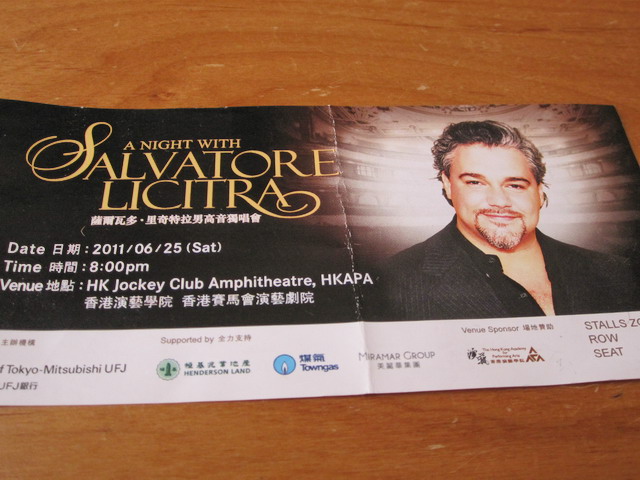
英年早逝的Salvatore Licitra

By admin, September 7, 2011 1:10 pm

我兩個月前才第一次有幸觀看這位被譽為Pavarotti接班人的演唱會﹐想不到今天竟成絕響﹗

記得那天Licitra還和觀眾開玩笑說最近的一次車禍傷的不輕﹐哪知道短短的4個月裡他竟然會遇到了兩次嚴重的車禍﹐這次上天終于帶走了另一個遺留在人間的天使。

是天嫉英才﹖還是命運中早已冥冥注定﹐天使被派來凡間,完成了使命後上帝就把他召返天國?

所以說人活在世上短短幾十年﹐有些事情還真的不能等﹐免得換來以後無儘的後悔。

IMG_4800


The Telegraph – 6:20PM BST 06 Sep 2011

Salvatore Licitra, the opera singer, who died on Monday aged 43, was a contender for the title of the world’s next great tenor and had already been acclaimed the “new Pavarotti” on account of his ringing high notes, strong lower register, and considerable stamina.

He was catapulted to fame in dramatic fashion, stepping in at the last moment for Pavarotti in a gala performance of Puccini’s Tosca at the Metropolitan Opera in New York on the evening of May 11 2002.

Salvatore Licitra Only 55 hours earlier, on Thursday May 9, Licitra had been relaxing at his family’s apartment in Milan. Then his manager in New York, JF Mastroianni, called. “He asked me if I feel good,” Licitra said later. “I responded that I was rested and asked him why. He said maybe there is some job for me. I asked him what type of work. He said: ‘I’ll let you know.’”

Within the hour Mastroianni called back, uttering the decisive words: “Are you ready for a trip? There is some problem with Luciano.”

After Mastroianni’s call, Licitra was unable to sleep, watching television until 3.30am. He then caught a flight to London and Concorde to New York. Arriving at 9am on Friday morning, he reached the Met two hours later and spent another 12 hours going over a videotape of the production and attending piano rehearsals.

Pavarotti only added to the tension. His scheduled appearance was regarded by many as the likely finale to the superstar’s 41-year career in staged opera, and he dithered all day over whether to let his fans down or risk making a strained and under par appearance. Licitra knew only at about 7pm — an hour before curtain — that he would be going on stage. He finally met the conductor, James Levine, when the maestro dropped in to his dressing room 15 minutes later.
Related Links

Licitra put any nerves behind him. He earned lengthy ovations for his two big arias and, at the end of the opera, received a three-minute standing ovation from the audience of 4,000, each of whom had paid as much as $1,800 for their non-refundable tickets to hear Pavarotti. The critics agreed that a star had been born.

Salvatore Licitra was born on August 10 1968 at Berne, Switzerland, to Sicilian parents, and returned to Italy as a teenager to open a graphics shop with his brother. He started singing at 18, mimicking great Italian tenors such as Caruso and Gigli. He worked as a graphic artist on layouts for Italian Vogue, and studied at Carlo Bergonzi’s vocal academy until 1998, when he ran out of money.

Although scheduled to sing as an understudy at the Verona festival that summer, he so impressed the conductor Daniel Oren that he made his debut on the opening night as Riccardo in Verdi’s Un Ballo in Maschera.

Licitra was considered a genuine tenore spinto, with a voice finely balanced between the lyrical and the dramatic but with sufficient heft to play the heroes of the Italian core repertoire of Verdi and Puccini.

In Italy the frenzied search for the “Fourth Tenor”, or at least an heir to Pavarotti and his ageing Spanish contemporaries Placido Domingo and José Carreras, is likened to a papal succession. The difference is that the singing contest is carried out in full view of the faithful.

Licitra’s talent, and the drama of his substitution for Pavarotti, meant his name was added to the list of candidates for this vacancy.

After his triumph at the New York Met, he appeared on opera stages and concert platforms around the world. Under the baton of Ricardo Muti he sang at the Royal Opera House, Covent Garden, and regularly appeared at La Scala and other venues in Europe, the United States and the Far East.

Offstage, Licitra was quick-witted, sunny and informal. He dispensed with the usual starry entourage, preferring the company of his parents, his brother and his fiancée.

Salvatore Licitra had spent nine days in a coma after crashing his scooter. His fiancée, who was riding pillion, was unhurt, but he never regained consciousness.

Federer is Back!

By admin, September 6, 2011 6:15 pm

Suddenly, Federer is playing like champion again in his early 20s, beating the hell out of his opponent with bashing shots. Just look at his rhythm and footwork, something definitely has changed to him recently.

Partition Alignment with VMware vCenter Converter Standalone 5.0

By admin, September 2, 2011 11:47 pm

VMWare has just released VMware vCenter Converter Standalone 5.0 this week. Among the all the new features, ”Optimized disk and partition alignment and cluster size change” is the one I considered the most important! This means V2V your existing unaligned Windows Server 2003 is no longer mission impossible and no need to pay those alternative ones who charge a premium for this simple task.

Also, the new version supports more 3rd parties vendors:

Convert third-party image or virtual machine formats such as Parallels Desktop, Symantec Backup Exec System Recovery, Norton Ghost, Acronis, StorageCraft, Microsoft Virtual Server or Virtual PC, and Microsoft Hyper-V Server virtual machines to VMware virtual machines.

Enable centralized management of remote conversions of multiple physical servers or virtual machines simultaneously.

Ensure conversion reliability through quiesced snapshots of the guest operating system on the source machine before data migration.

Enable non-disruptive conversions through hot cloning, with no source server downtime or reboot.
Third-party backup images and virtual machines:

Microsoft Virtual PC 2004 and Microsoft Virtual PC 2007
Microsoft Virtual Server 2005 and Microsoft Virtual Server 2005 R2
Hyper-V Server virtual machines that run Windows guest operating systems
Hyper-V Server virtual machines that run Linux guest operating systems
Acronis True Image Echo 9.1, 9.5, and Acronis True Image 10.0, 11.0 (Home product)
Symantec Backup Exec System Recovery (formerly LiveState Recovery) 6.5, 7.0, 8.0 and 8.5, LiveState Recovery 3.0 and 6.0 (only .sv2i files)
Norton Ghost version 10.0, 11.0, 12.0, 13.0, and 14.0 (only .sv2i files)
Parallels Desktop 2.5, 3.0, and 4.0
StorageCraft ShadowProtect 2.0, 2.5, 3.0, 3.1, and 3.2

An Insight Discussion about 3PAR SAN Technology

By admin, August 30, 2011 1:50 pm

I came across an interesting thread about 3PAR’s unique SAN capability especially about its Chunklets, again it’s in Chinese. Those who participated in that thread seemed to be the SAN elite in their fields.

To my surprise, I’ve learnt that 3PAR is still using the old PCI-X, NO SAS drives. Well heard they are going to release the SAS version shortly in Q4 2011 and there is a new series V after T & F.

Interesting enough another SMB SAN/NAS product named Drobo somehow can achieve the same unique feature as 3PAR as Drobo’s Beyond RAID technology can also form a RAID using different size, different RPM drives (ie, mix SSD/FC/SATA), What’s more Drobo doesn’t use any hot-spare for redundancy as all the drives can devote part of the capacity for the hot-spare purpose, this is another similarity to 3PAR. Well, the price difference between the two is of course beyond numbers.

 1,中端存储高端化:3PAR定为于高端存储,但是它的架构有点类似中端存储的架构,有控制器的概念,最多可以有8个控制器(S400最多有4个控制器,S800可以有8个),控制器之间由一个网状背板连接起来,每个控制器有两个INTEL的CPU负责控制指令,还有一个3PAR自己控制器的ASIC完成数据移动。普通的中端存储,一个LUN只能属于一个控制器,用户必须将LUN人工分布到两个控制器上,而3PAR每个LUN实际上是由多个控制器并行处理的。

这个怎么说那?
个人感觉本身可能打算用来代替EVA的,但是目前在hp的产品线看来他是介于xp和eva之间,当然他的满配跟hp的xp也差不多少了,更何况他更适合于云,另外当年oracle又说他跟asm结合能够如何如何的提高性能。

毕竟他是hp自己的东东,相对于可能更愿意推3par,其实3par2个系列,F和T,而跟在后面的数字就是支持的控制器的最大数,F200最大支持2个,F400最大支持4个,T400最大支持4个,当然T800最大支持8个,

至于他的控制器的芯片感觉有点类似于LSI,intel的cpu只是负责控制信息,真正做raid计算的是ASIC,所以如果和其他厂家的控制器全intel inside来pk说3par的cpu不行,可就有点外行了

当然Q4听说要出新3par就将采用双ASIC控制器,并支持SAS硬盘,将pci-x改为pci-e
另外说双A(不是ALUA哦),这点不能说其他厂家的终端存储都最多做到ALUA,其实hds的AMS也是真正的双A,至于eva和cx都是ALUA,ds5000就只能是A/P了

2,非常有特点的盘盒: 3PRA插盘的方式非常独特,和其他存储都完全不同,在4U高度的盘盒中,有10个盘包,每个盘包可以纵向插入4块盘,相当于其他存储一块盘的位置插入了四块,所以3PAR的盘的密度非常高。当然这也有问题,比如在换盘时,每次需要将整个盘包拔出,或者盘包自身的背板损坏,可能造成数据丢失等等。不过3PAR已经考虑了这些情况,并有解决方案。

其实3par有3种盘笼,DC2, DC4(T-Class ) and DC3(F-Class)DC2, DC4累就是上面写的,但是dc3是16个个drive bay,0-15就不是4个硬盘装在一起了。

3,虚拟卷管理:第一层:每个盘都被划分为256M的小块(chunklet),由于每个盘盒都和两个控制器相连,所以这些存储块都有两个访问通道。第二层:将这些存储块,基于RAID类型和存储块的位置组成逻辑盘(LD)。第三层:将一个或多个LD映射成为了一个虚拟卷(VV),并最终以LUN的形式输出给主机(VLUN)。这样可以将IO分散到系统所有的磁盘,光纤连接和控制器上,而不象某些存储,必须要借助主机的LVM才能实现。如果我们使用文件系统或者ASM的话,将会很方便。另外一个特点就是管理非常方便,只需要告诉系统我要多大的LUN,其他系统会自动完成

这点感觉有点类似于eva(其实eva)或者v7000,xiv,当然他们又不完全相同,XIV的Pool是个逻辑的,他并没有将disk物理隔离(譬如EVA中的Disk Group,eva有rss的概念),对于外部的IO quest由所有的Disk提供,只是在空间,也就是Size方面逻辑的划分pool


对于国内存储市场来说,3PAR 是不折不扣的后来者。也是个相对陌生的存储产品,以至于其竞争对手的人员甚至都不知道这家公司已经杀入中国市场。

3PAR 在 1999 年成立,几个创始人主要出自 Sun ,前身叫作 3PARdata , 2008 年上市。要知道在存储技术领域竞争还是比较激烈的,EMC / HDS 等控制着高端存储的主要市场,3PAR 能突破技术壁垒并最后成功上市,没两把刷子那是绝对做不到的。

InSpire 硬件结构

3PAR 背板采用全网状的连接结构,每个控制器节点之间高速直连。因为是全网状的,所以基本上一个链路坏掉只影响直连的两个节点的通信,对其它节点无影响。每个控制器节点内置一块硬盘,用于操作系统安装。控制器节点最多可以扩展到 8 个,是 3PAR 存储最核心的组件。

相比之下,HDS 架构采用全光线交换方式(Universal Star Network),而 EMC 是采用直连矩阵方式(新一代产品采用虚拟矩阵架构–Virtual Matrix ,其实已经放弃了直连矩阵架构了)。这些连接方式的孰优孰劣历来是厂商攻击竞争对手的着眼点,能否最大限度发挥性能是用户最需要关心的。

3PAR 针对 I/O 指令和数据移动使用不同的计算芯片。I/O 指令(元数据/控制Cache)用 Intel 的芯片,而 数据移动/Cache 则使用专门设计的 ASIC 芯片来完成。

因为有专门的硬件 ASIC 芯片用于 RAID 5 XOR 校验,3PAR 号称有了其第三代 ASIC 芯片,实现的 RAID 5 是业界最快的,甚至 SATA 盘也能有不错的性能表现。(从 Oracle 公司测试的数据来看,和 RAID 10 速度的确相差无几。)

InForm 操作系统软件与虚拟化

3PAR 的操作系统叫 InForm,最初就是面向层次化的设计。与其他存储不同的是,3PAR 所有磁盘被分成 256MB 统一大小的小盘(Chunklet),可以根据需要用多个 Chunklet 组成 RAIDlet(逻辑磁盘)。因为这个独特的设计方式,3PAR 是可以很容易做到不同容量的磁盘混用,同一个 RAID 组里都可以有不同大小、不同转速的磁盘混用,这是其他存储做不到的。而且,所有的磁盘都可以利用,因为Hotspare Chunklet 以更小的单位分散在不同的磁盘上,也不再需要单独留热备盘。空间利用率可以更充分一些。 

多说一句,有这个冗余机制,3PAR 更换磁盘也是与众不同:直接抽磁盘盒子(一个盒子可是四块磁盘啊),我当初看到 3PAR 技术人员这么操作真是着实吓了一跳。

因为固定大小的 Chunklet 的存在,可以将 I/O 更为均匀的分散到多个磁盘上。

对于熟悉Oracle 的朋友来说,会发现这和 ASM 的思想非常接近。因而也可以和 Oracle 数据库进行无缝集成:

因为软件做得非常具有易用性,日常管理与维护远远没有其他高端存储那么复杂,新增磁盘这种事情,都是一行命令之后底层自动处理。其实在 Thin Provisioning 方面 3PAR 也是很值得一说的,比一些厂商的伪 Thin Provisioning 具体多了。限于篇幅,不赘述。

3PAR 在美国有很多金融证券行业的客户,也有 Web 2.0 行业的客户–MySpace 。在保证 I/O 响应在 10ms 以内的前提下,3PAR 的 IOPS 能力非常优异(这才是卖点,不难理解其客户多集中在证券、金融领域)。虽然有些厂商号称能得到更高的 IOPS ,但那是在 I/O 响应时间很差的情况下的数据。要说明的是,现在随着一些存储厂商在高端服务器上也支持 SSD ,未来几年如何还要再看。

前两年 3PAR 推行所谓 Utility Storage(功用存储) 理念,现在貌似改成敏捷存储了。说实话,我觉得敏捷存储真的挺适合的,3PAR 命令行批量创建 LUN 真的很让人感觉舒服。当然,也在宣传云存储和绿色存储的理念,那是题外话了。

3PAR 原来只做中高端市场,只有 T 这一个系列,现在也开始关注中低端市场了,推出了 F 系列的产品。软硬件体系基本没变,倒是没仔细看过。


当然3PAR也有几个不怎么样的地方:

1.不支持sas盘,大家都用sas,你不用,是不是有点另类?
2.换盘麻烦,不像xp,eva那样直接就拔盘(当然只是T系列),虽然这点对于用户和销售来说不是问题,但是对于工程师来说还是费劲。估计要多干10分钟的活
3.pcx-133的总线
4.虽然说背板不是个什么问题,但不管怎么说还是个单点
5.后端依然是JBOD
5.硬件感觉不如软件那么NB
6.lun的大小调整需要额外的license,不像eva,这都是基本的免费功能
7.3PAR 的技术优势在机械硬盘时期,但未来将是SSD 的时代,追求高 IOPS ,更小 I/O 响应时间,如果全用ssd即可
8.不支持raid3


1.3par相比其高端存储配置时间和复杂度大大降低,抛开xp配置的复杂度不说,只谈时间,每次做dci,格式化后,我们就可以去睡觉了。

2.相比其他中端双控存储,
他们很难做性能方面的扩展,也难以提高的更安全的保障,某些硬件故障的时候,它这个性能可能会大幅的下降,即使是某些高端的存储,如果某一个cache 板挂掉,性能可不是降低一点点哦?将近达到90%以上了。

3.自动分层
他把不同类型的硬盘,如SSD、FC或者SATA,划分为256MB Chunklets,这些Chunklets被自动的分组,构成vv,以前是针对整个卷进行RAID划分,而现在,对子卷进行RAID划分。实现了分层的存储,从而让一个卷可以跨SSD、FC和STAT等不同的类型的硬盘。

通过对vv中不同类型硬盘IOPS的监控,就可以实现基于策略的数据自动迁移,自动在不同硬盘底层平衡工作负载,如用SSD来满足应用对IOPS要求。系统帮他决定哪个应用需要IOPS比较高,自动把这部分数据迁到SSD的硬盘上,

不像其他存储,redolog你要不放在SSD上,要不放在FC盘或者SATA上,如果我很多的文件都要求性能很高就费劲了,都要放在ssd上,但是3par就不用了,你可以把他们都放在池子里面,性能不够加ssd,容量不够加sata,其他的,管他那,唉,做3par的cpu挺累的,真不容易,我感觉未来应该就是这样,对用户越来越透明,不过以后如果全部ssd,这个功能就可以88啦,关于自动分层吹牛的东西咱不聊,网上讲的很多,也很细,不过我看很多其他厂家也有这技术了

Treasure Hunt for Free vSphere Goodies

By admin, August 27, 2011 9:41 pm

Today is another one of my lucky day for vSphere treasure hunt. I was able to locate three really useful ones again.


VMWare Compliance Checker for vSphere

Not much to say here, simply get it and run through your infrastructure, the assessment report is mainly related to the default settings causing security holes on ESX hosts and recommendation how to fix them.


VMTurbo

turbo1If you have already got Veeam’s Monitor (Free Version), then this is the one that you shouldn’t omit. It’s a compliment to Veeam monitoring tool where you can use VMTurbo Community Version (Monitor+Reporter) to see those details are only available for the Veeam paid version. Furthermore, it clearly displays a lot of very useful information such as IOPS breakdown of individual VMs.

Except the recommendation part is a bit too aggressive. For example, if a VM has been idled for 1 day, then VMTurbo would recommend to reduce the Ram size, but in reality the size is required during the user session. Another example is VMTurbo always suggest to reduce the size of those already Thin-Provisioned disk as it think they are taking too much wasted storage space.

The Report Feature is probably the Best I’ve ever seen and the most easiest one to setup, there is no more complicated steps like in Veeam Reporter (setup MSSQL Reporting Service along is a pain) as VMTurbo itself is a virtual appliance. :)

Overall speaking, it’s a very good product, way better than Xangati IMOP and has a great potential to match Veeam’s product. I still haven’t got time to play the Capacity Planning feature, last time I ran VMKernal’s Capacity View (Free Version), the recommendation was simply a joke as it said there are only 2 VM we can add while in reality there is a couple of hundreds of Ram that’s free to use, hopefully VMTurbo can give me some insight for real capacity growth prediction.


AVG Anti-Virus ISO
Simply use it to boot the VM, scan and clean the whole volume or designated directories. It also allows you to update the virus definition file in real-time. Just to make sure the disk type is not paravirtual as it won’t recognize this new disk type.


Update Aug-31

Well, after extensively testing VMTurbo for 3 days, I must admit it’s probably the most comprehensive monitoring and reporting product I’ve ever seen. I love the features that I couldn’t find in Veeam’s free edition and VMTurbo probably got every scenario combination you can think of, like those vCPU/MEM/IOPS/Network, etc.

Of course there is some drawback, one of the biggest drawback is to manage the product itself is too complicated, somehow, I don’t get the same easy to use feeling as Veeam. I understand both have tree on left pane and details on the right, but somehow it just takes me a few more clicks to find out what I need on VMTurbo, it would be perfect if they can improve this aspect. It actually did happen to me that I got lost after 10 clicks for in-depth information of what I was looking for.

Another thing is I still haven’t got the Planning working out correctly, I tested on a 2 hosts cluster with even load (probably 53%:47%), the result strongly recommend to shift all the load from host 1 to host 2, so I got a 2%:98%, isn’t this suppose to be evenly balanced? (ie, close to 50%:50%)

Finally, I understood the concept and calculation how to derive the available HA Slot today. ESX 4.1 did a great job in simplifying the whole calculating thing and present the available slot number automatically. This HA Slot Availability number is crucial in estimating the future capacity growth. The other thing is I’ve learnt  instead using Reservation, Use Limit instead for your SLA as this will not change your default HA Slot. So simply create a Resource (ie, Jail) Pool and assign CPU & MEM Limit (for Network, use VLAN with capped speed, for IOPS use SIOC) to it and place those abusive VMs into the “Jail”, Btw…there is no chance they can ever “Jail Break” under vSphere. :)

Pages: Prev 1 2 3 4 5 6 7 ...74 75 76 ...102 103 104 Next